One checkbox on a document type
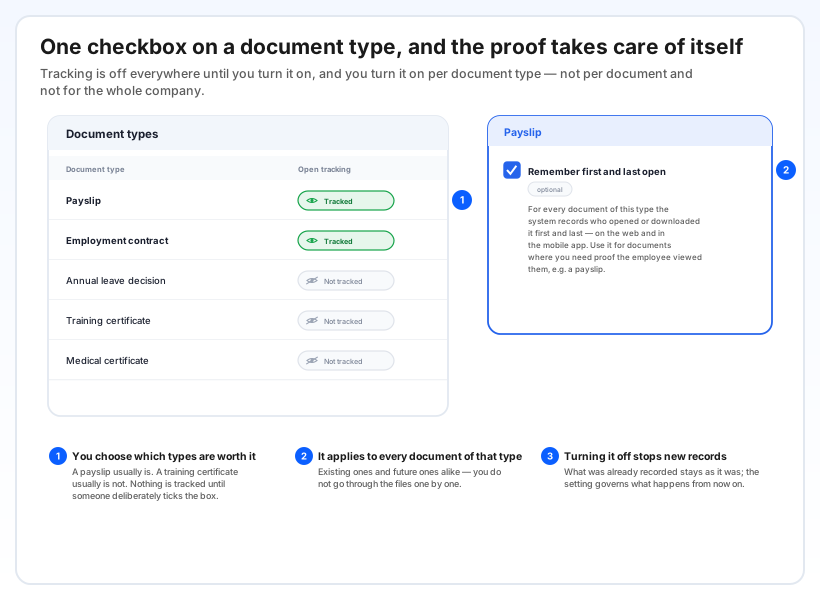
Tracking is off everywhere until someone turns it on, and it is turned on per document type — not per document, and not for the whole company at once. On the Document types screen each type shows whether its opens are tracked, and the editor carries one optional checkbox: Remember first and last open.
Choose the types where proof actually matters. A payslip usually qualifies; a training certificate usually does not. Once a type is switched on, it applies to every document of that type — the ones already in the files and the ones uploaded later — so nobody has to go through the employee files one by one.
Switching it back off simply stops new records. What was already recorded stays as it was.
First open, last open, and from which screen
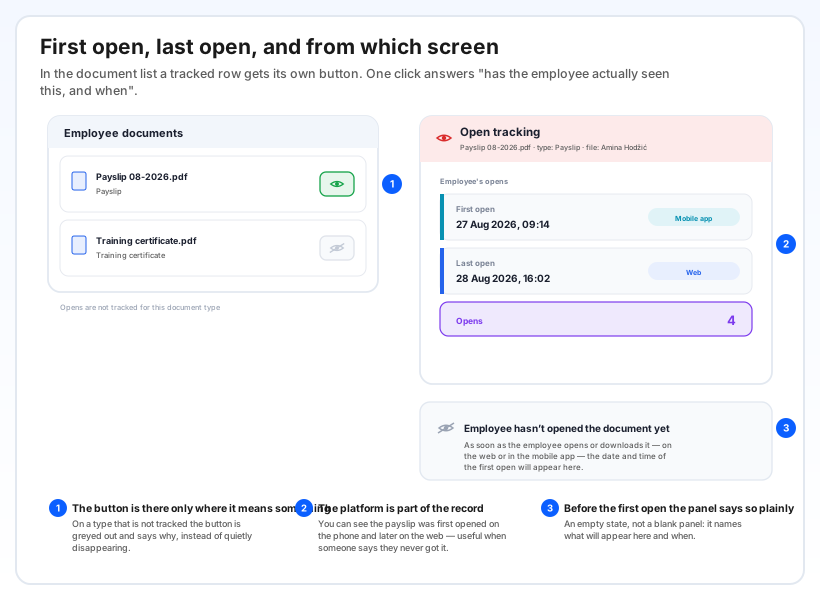
In the employee's document list, a tracked row gets its own Open tracking button. One click gives you the date and time of the first open, the date and time of the last open, how many times it was opened, and whether it happened on the web or in the mobile app.
On a document type that is not tracked the button is still there but greyed out, with a tooltip explaining that opens are not recorded for that type — so you know the difference between "not opened" and "not being tracked".
Before the first open there is no blank panel either: it states plainly that the employee has not opened the document yet, and that the date will appear here as soon as they do.
What is recorded, and what is deliberately not
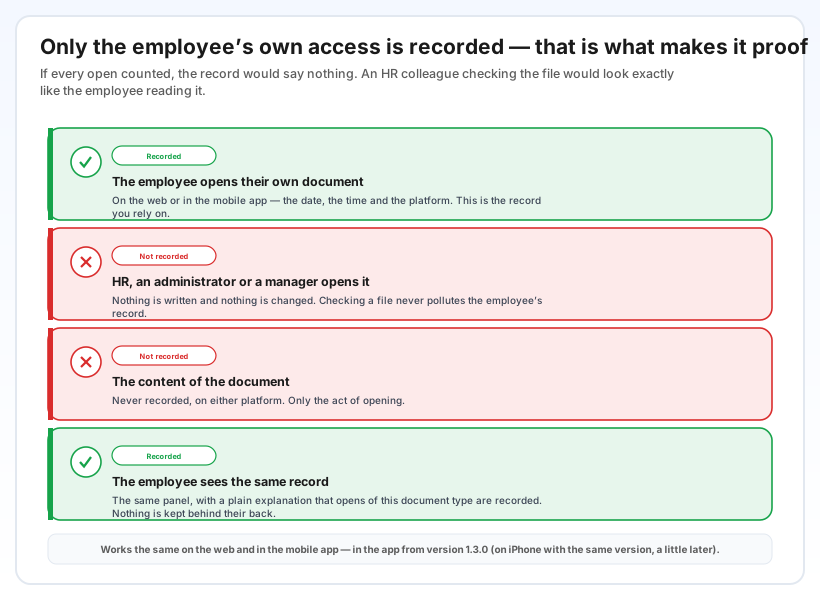
Only the employee's own access to their own document is recorded. When HR, an administrator or a manager opens the same file, nothing is written and nothing is changed. That is not an oversight — if every open counted, a colleague checking the file would look identical to the employee reading it, and the record would prove nothing.
The content is never recorded, on either platform. Only the act: who, when, from which screen.
And it is not kept behind anyone's back. The employee sees the same record, in the same panel, with a plain statement that opens of this document type are recorded and that their access is the only one being counted.
Why it helps
The question stops being a matter of memory. "Did they get the payslip?" has a date and a time behind it, not a recollection of an email.
Delivery and reading stop being confused. A document sitting in a file proves it was made available. This proves it was opened — a different, and usually more useful, fact.
You decide where the bar sits. Turning it on is a conscious choice per document type, so the record exists exactly where it is needed and nowhere else.
The phone counts too. An employee who reads their payslip on a phone at home is recorded the same as one who opens it on a desktop — which, in practice, is most people.