The same clock-in, with the site column filled in
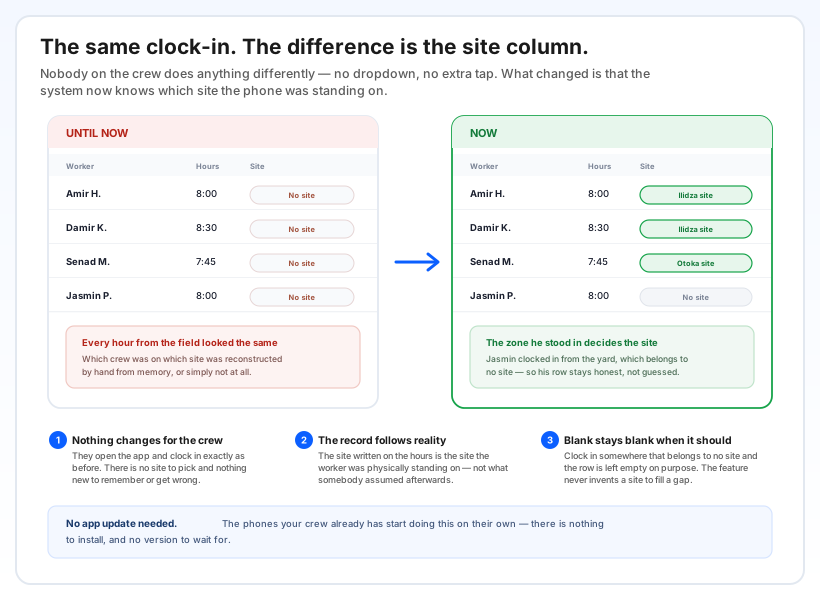
Until now, every hour that came in from a phone arrived without a site. The hours were correct and the times were correct, but which crew had been on which site was something you reconstructed afterwards — from memory, from a foreman's note, or not at all.
Now the site is written on the hours at the moment work starts. Your people open the app and clock in exactly as before; the difference shows up later, in the record.
And when there is genuinely no site to name — someone clocking in from the yard or the office — the column is left empty on purpose. The system never invents a site to fill a gap.
You outline the site once, on a map
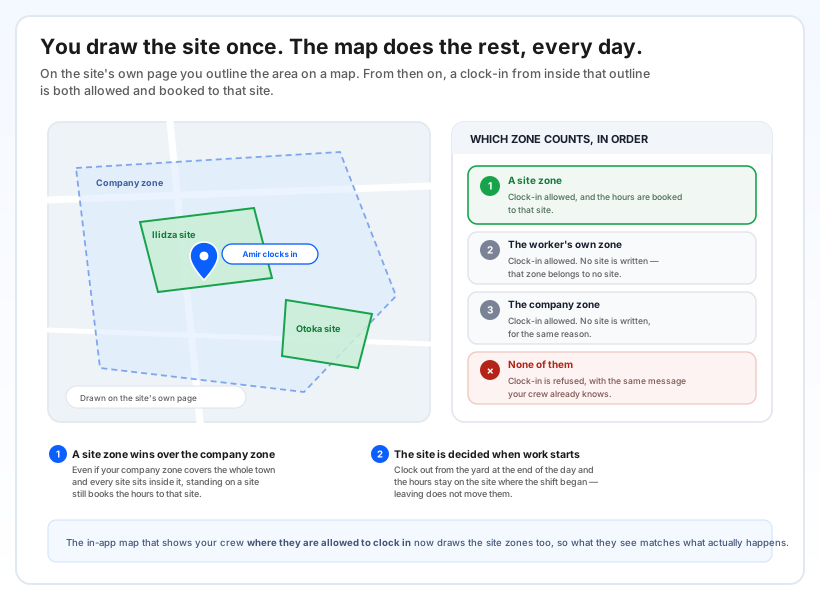
On the site's own page there is a map where you draw the area that belongs to it. That drawing already existed — what is new is that it now actually does something.
When someone clocks in, the zones are read in a fixed order:
- A site zone — the clock-in is allowed and the hours are booked to that site.
- The worker's own zone — allowed, but no site is written; that zone does not belong to a site.
- The company zone — allowed, no site written, for the same reason.
- None of them — the clock-in is refused, with the same message your crew already knows.
The order matters in a very ordinary situation: many companies draw one wide company zone covering the whole town, with every site inside it. Standing on a site still books the hours to that site — the wider zone does not swallow it.
One more thing worth knowing: the site is decided when the shift starts. Walking back to the yard and clocking out there does not move the hours. If a worker switches to a different type of hours partway through the day, that starts a new stretch — and that stretch gets the site of wherever they are standing at that moment.
The in-app map that shows your crew where they are allowed to clock in now draws the site zones as well, so what they see on the screen matches what actually happens.
What it changes at the end of the month
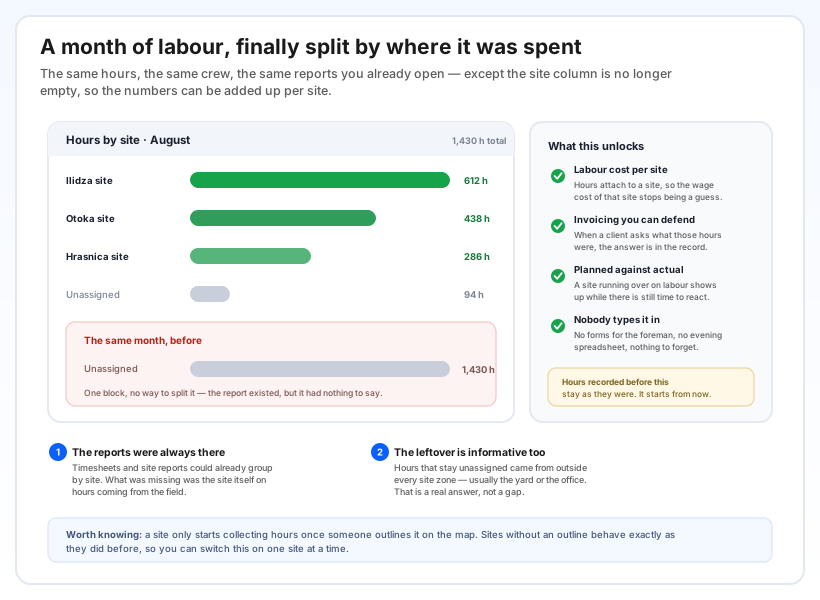
The reports were always there — timesheets and site reports could already group by site. What was missing was the site itself on hours coming from the field, which is why a month of work sat in one undivided block.
Labour cost per site stops being a guess. Hours attach to a site, so the wage cost of that site can simply be read.
Invoicing gets something behind it. When a client asks what those hours were, the answer is in the record rather than in someone's recollection.
An overrun shows up while you can still act on it. A site burning through more labour than planned is visible during the month, not at the end of it.
Nobody types any of it in. No forms for the foreman, no evening spreadsheet, nothing to forget.
Even the leftover is informative: hours that stay unassigned came from outside every site zone, which usually means the yard or the office. That is a real answer, not a gap in the data.