What changed, at a glance
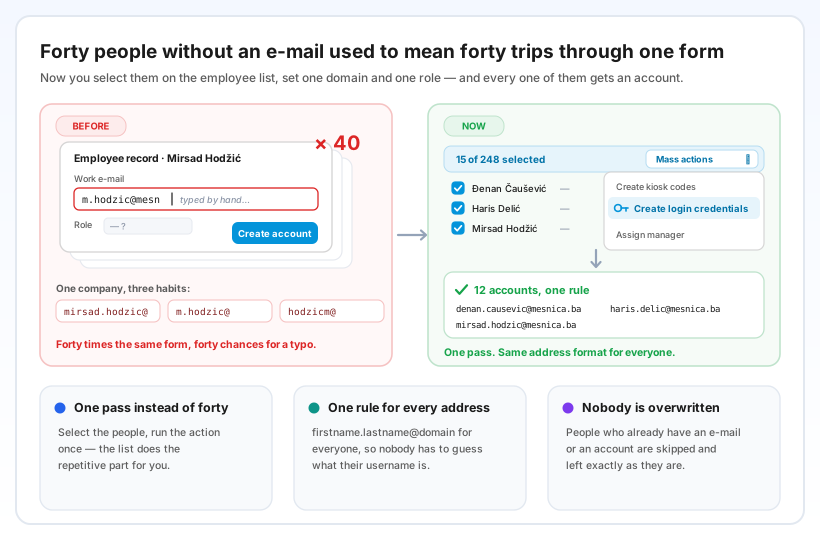
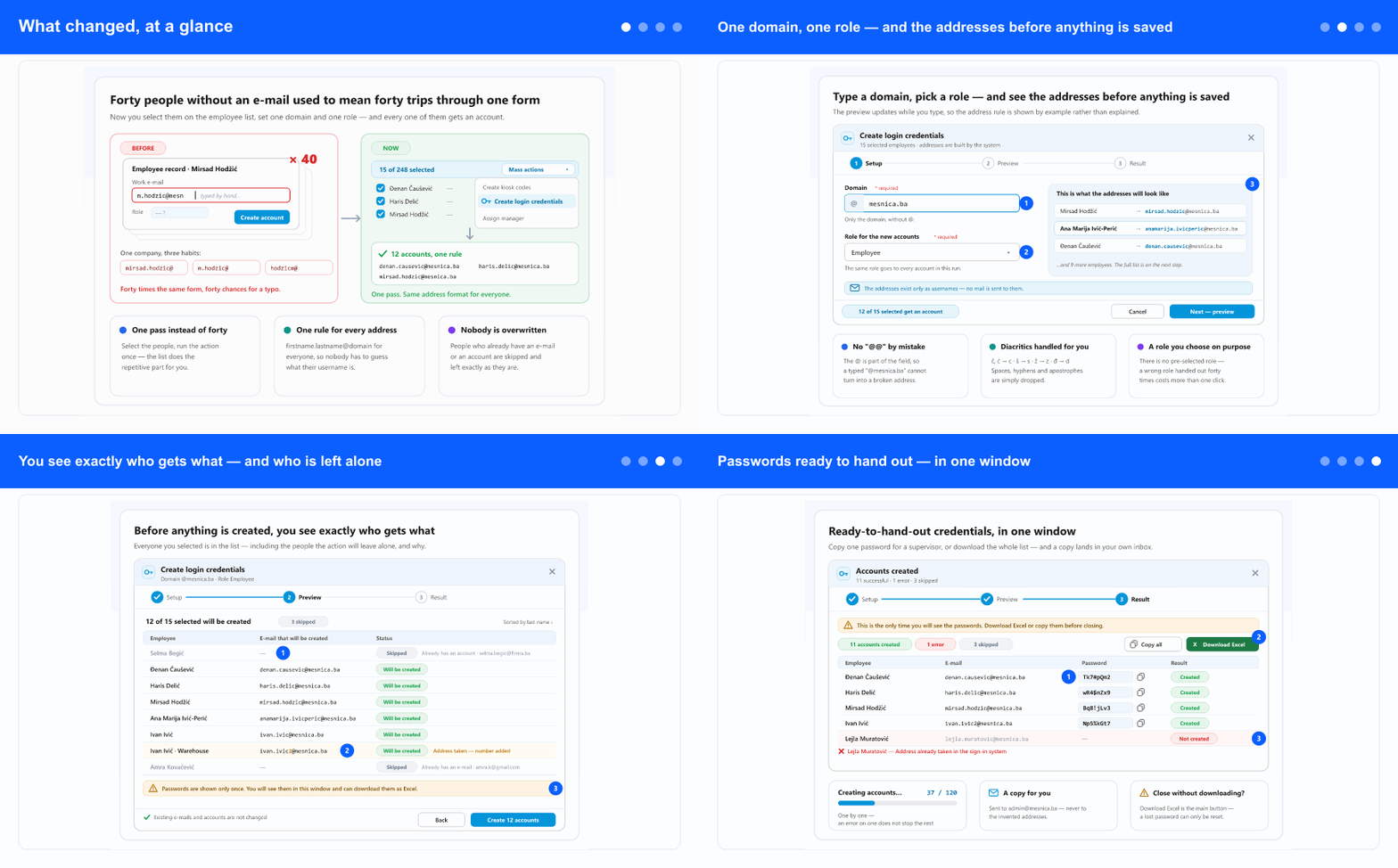
An employee without a business e-mail could not get an account without someone making an address up first. For a workshop of forty people that meant forty trips through the same form — open the record, invent firstname.lastname@…, pick a role, create the account — and forty chances for the addresses to drift apart: mirsad.hodzic for one person, m.hodzic for the next, hodzicm for the third.
The new action does the repetitive part for you and uses one rule for everyone, so a supervisor never has to guess what a colleague's username is.
Where you'll find it
In the left menu open the ADM tab (if the tab strip is shown) and select Employees. Tick the people you want on the list — the quickest way is More filters → Access → Application access filter set to Does not have access to application, then tick the rows — and in Mass actions choose Create login credentials. A window opens that walks you through three short steps: Setup, Preview and Result.
One domain, one role — and the addresses before anything is saved
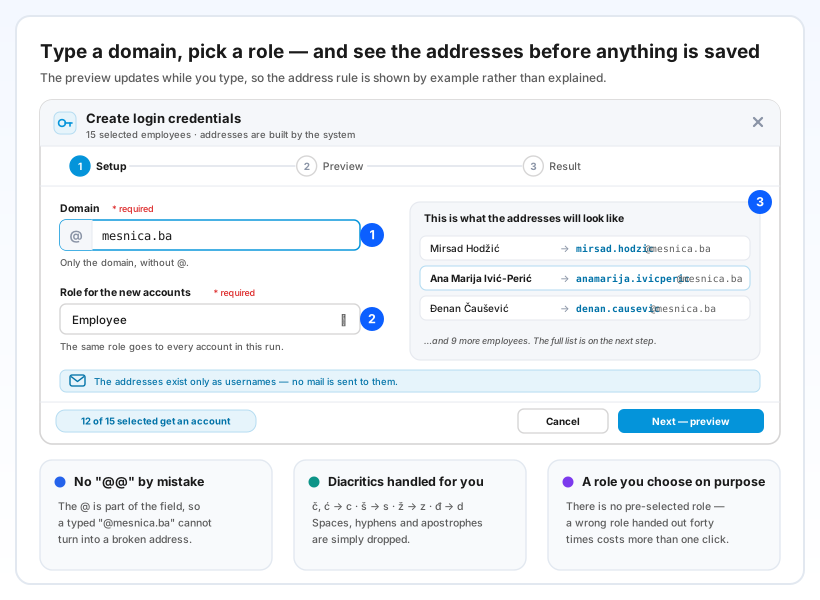
You type only the domain — for example mesnica.ba. The @ sign is already part of the field, so an address can't end up broken by a stray character. The domain does not even have to be a real mailbox: these addresses exist only as usernames, and no mail is ever sent to them.
Next you choose the role all these accounts will get. There is deliberately no pre-selected value — a wrong role handed out forty times is worse than one extra click.
While you type, the window shows how the first addresses will look. Diacritics are converted (č, ć → c, š → s, ž → z, đ → d), and spaces, hyphens and apostrophes are dropped: Ana Marija Ivić-Perić becomes anamarija.ivicperic@mesnica.ba. You see the rule working before you have to read about it.
You see exactly who gets what — and who is left alone
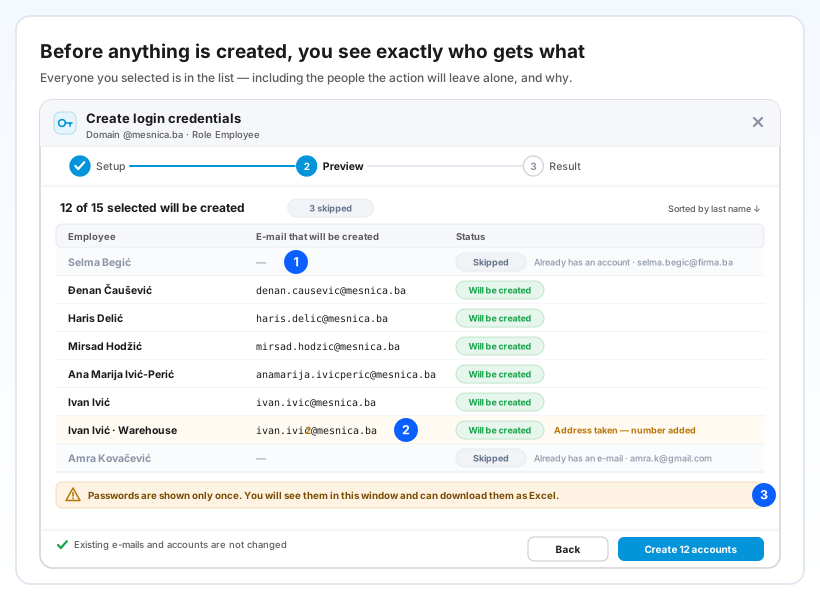
Before a single account is created, you get the full list of everyone you selected, with the exact address each person will receive and a clear count: 12 of 15 selected will be created.
People the action will not touch stay in the list, greyed out, with the reason — Already has an account or Already has an e-mail, together with the address they already use. Nothing silently disappears, so nobody goes looking for three "lost" accounts afterwards. If two people share a name, or an address is already in use, a number is added (ivan.ivic2@…) and the row says so.
Passwords ready to hand out — in one window
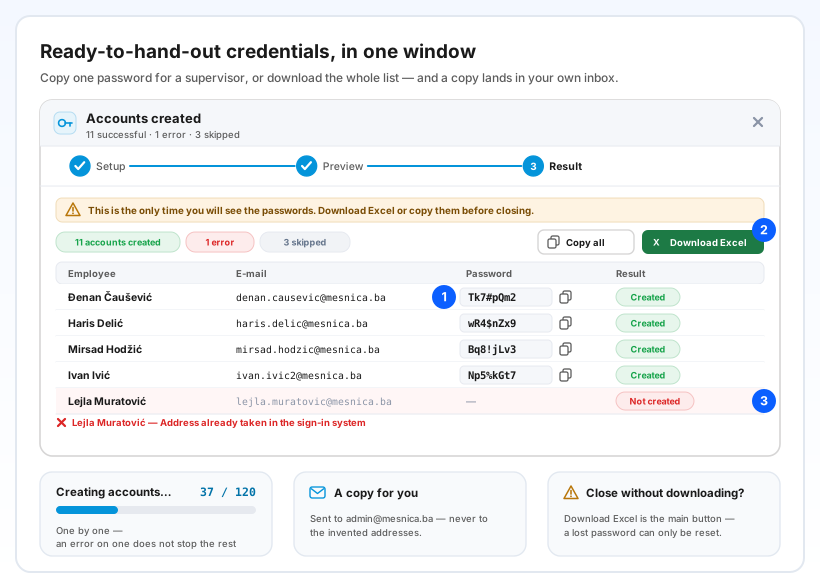
While the accounts are being created you see a progress counter (37 / 120), not an endless spinner. Each person is handled on their own, so a problem with one employee doesn't stop the others — that row simply turns red with the reason, and that employee's details are not changed, so you can try again later.
At the end every new account is listed with its address and password in a clear typeface, so l and 1 or O and 0 are never confused. Copy a single password when a supervisor needs just one, use Copy all, or Download Excel for the whole list. A copy is also sent to your own e-mail — never to the invented addresses.
Passwords are shown only once, and the window says so plainly — before you confirm, while you look at them, and once more if you try to close it without downloading the Excel. If a password does get lost, it can always be reset from that employee's record.
Why it helps
Minutes instead of an afternoon. Forty accounts are one pass through one window, not forty passes through the same form.
Usernames people can guess. One address rule for the whole company, applied the same way to every name — including those with diacritics, double names and hyphens.
No surprises. You see the complete list before anything is saved, people who already have access are never overwritten, and every failure is explained in its own row.
Getting everyone onto the app becomes realistic. Shop-floor and field staff can finally sign in to see their hours, leave and documents — without the company first having to hand out real mailboxes.
Step-by-step: Create login credentials for many employees at once · For a single person: Create a user account — two ways