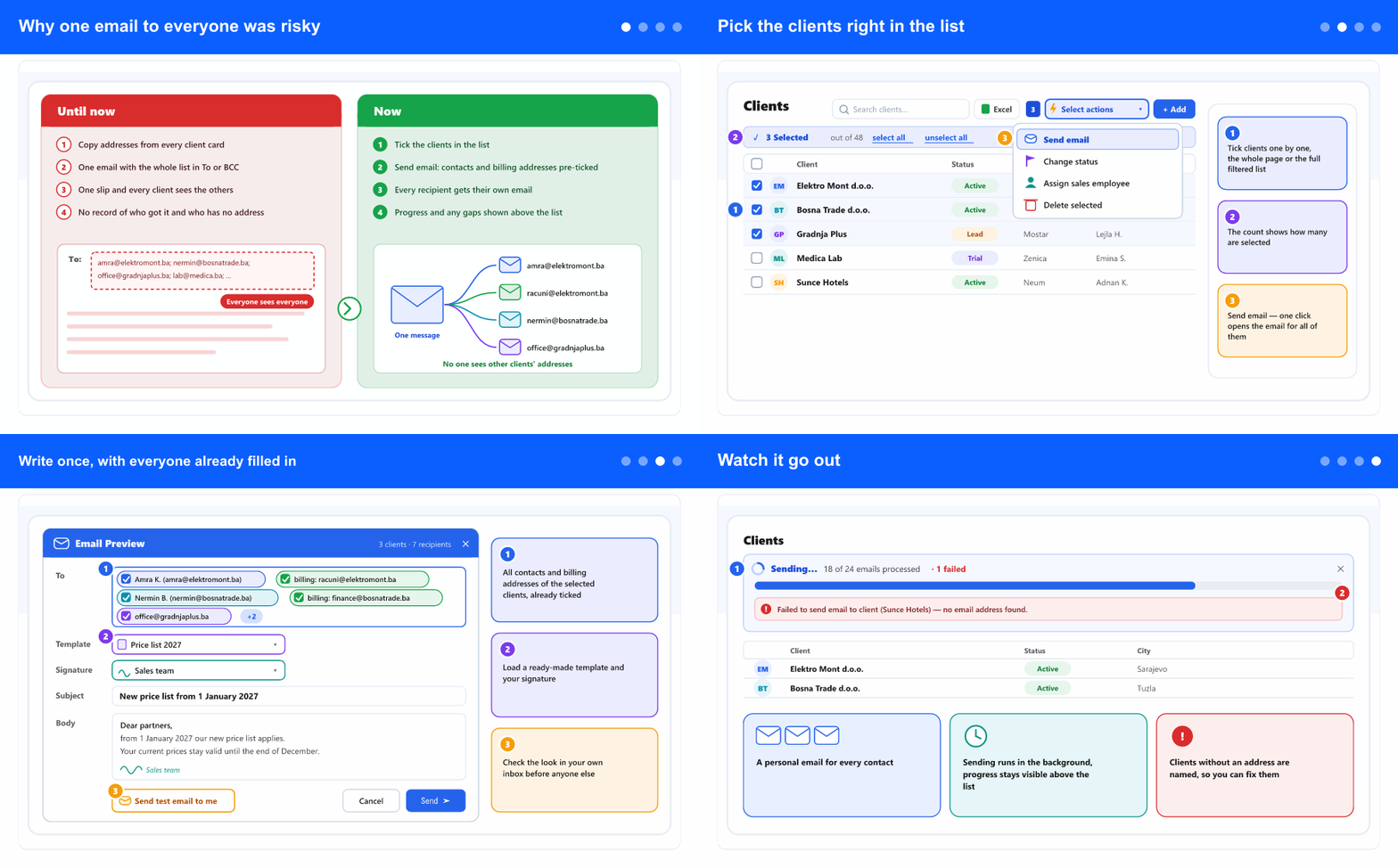
Why one email to everyone was risky
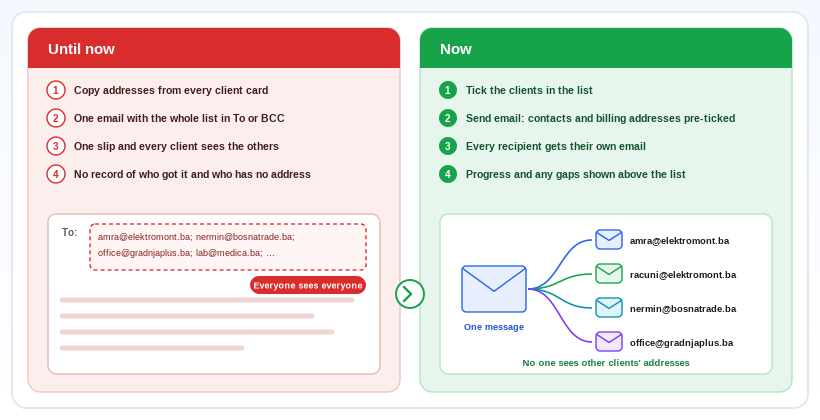
When the same news has to reach many clients, it usually starts with copying. Someone opens client after client, collects the addresses, and pastes them into one email. One slip, and the list ends up in To instead of BCC, so every client sees who else you work with. Afterwards nobody knows for sure who received the email and which clients were skipped because they have no address.
Now you choose the clients in InSync 365 and the system takes care of the rest, one email at a time.
Pick the clients right in the list
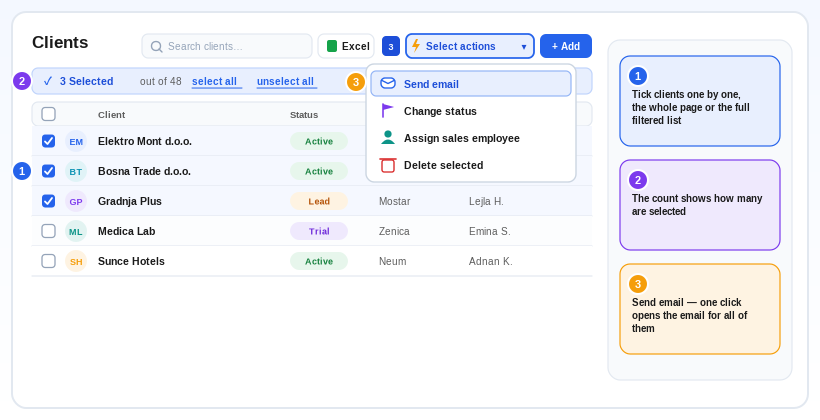
Every row in CRM → Clients now has a checkbox. Tick clients one by one, tick the whole page with the box in the header, or use select all to take every client that matches your search and filters. The bar above the list always shows how many clients are selected.
With the clients ticked, open Select actions and choose Send email. The same menu also lets you change the status, assign a sales employee or delete the selected clients.
Write once, with everyone already filled in
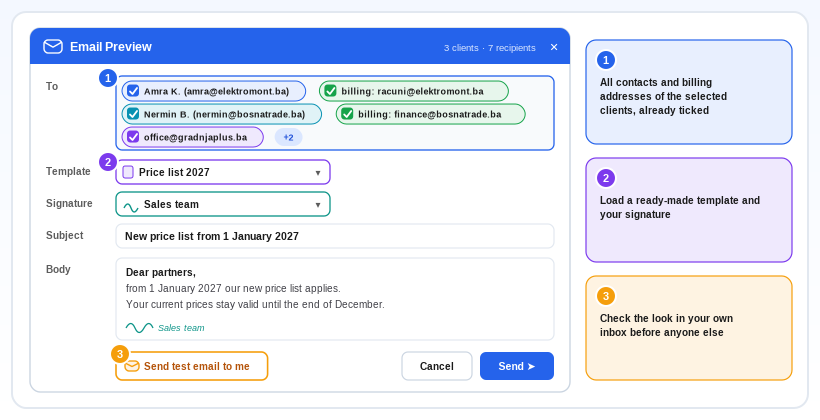
The email window opens with every contact and every billing address of the selected clients in the To field, all of them ticked. Untick anyone who should not get this message.
- Templates and signatures. Load one of your company's email templates and your signature instead of writing the same text again.
- See it before your clients do. Send test email to me sends the message to your own inbox, so you can check how it looks before anyone else gets it.
- One email per person. When you click Send, every recipient gets a separate email addressed only to them. Nobody is copied, and nobody sees anyone else's address.
Watch it go out
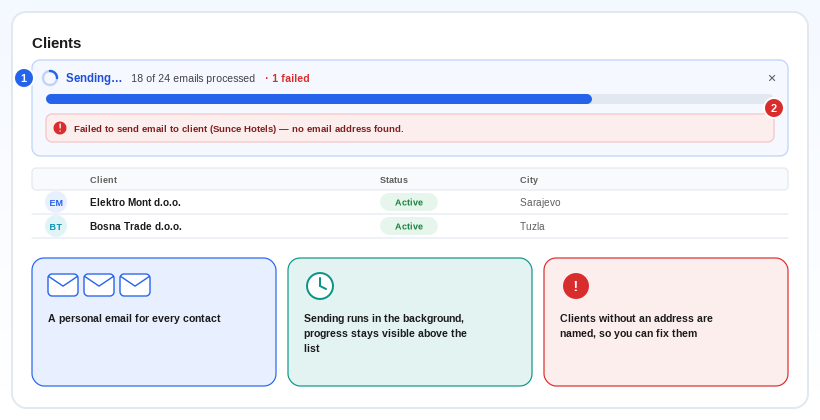
Sending runs in the background. A panel above the list shows how many emails have been processed and fills up as they go out, until it reads Completed. If an email cannot be sent, for example because a client has no email address at all, the panel names that client, so you know exactly whose details to add.
Why it helps
Minutes instead of an afternoon. No hunting for addresses across client cards. Tick the clients, write once, send.
Client addresses stay private. Every recipient gets their own email, so a slip between To and BCC can no longer happen.
Nobody is forgotten. Contacts and billing addresses are collected for you, and clients without an address are pointed out instead of silently skipped.
Checked before it goes out. The test email shows you exactly what your clients will see.
Step by step: Send one email to many clients · More about the module: CRM overview