Where you'll see it & how it works
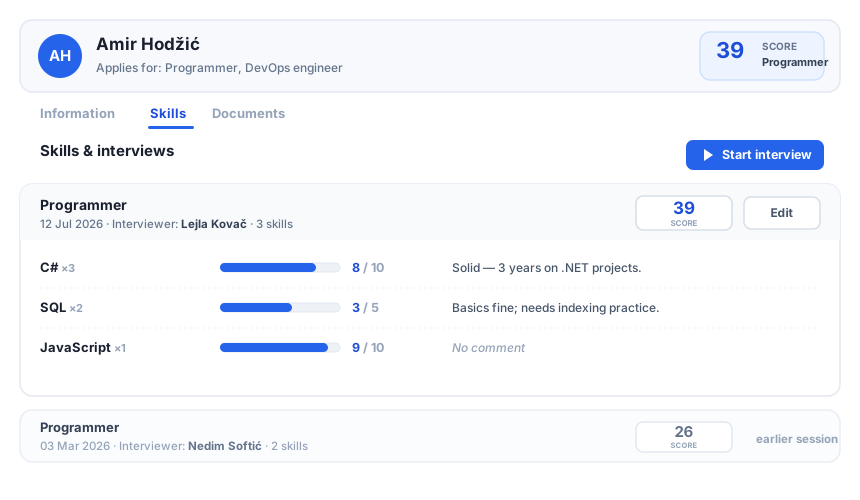
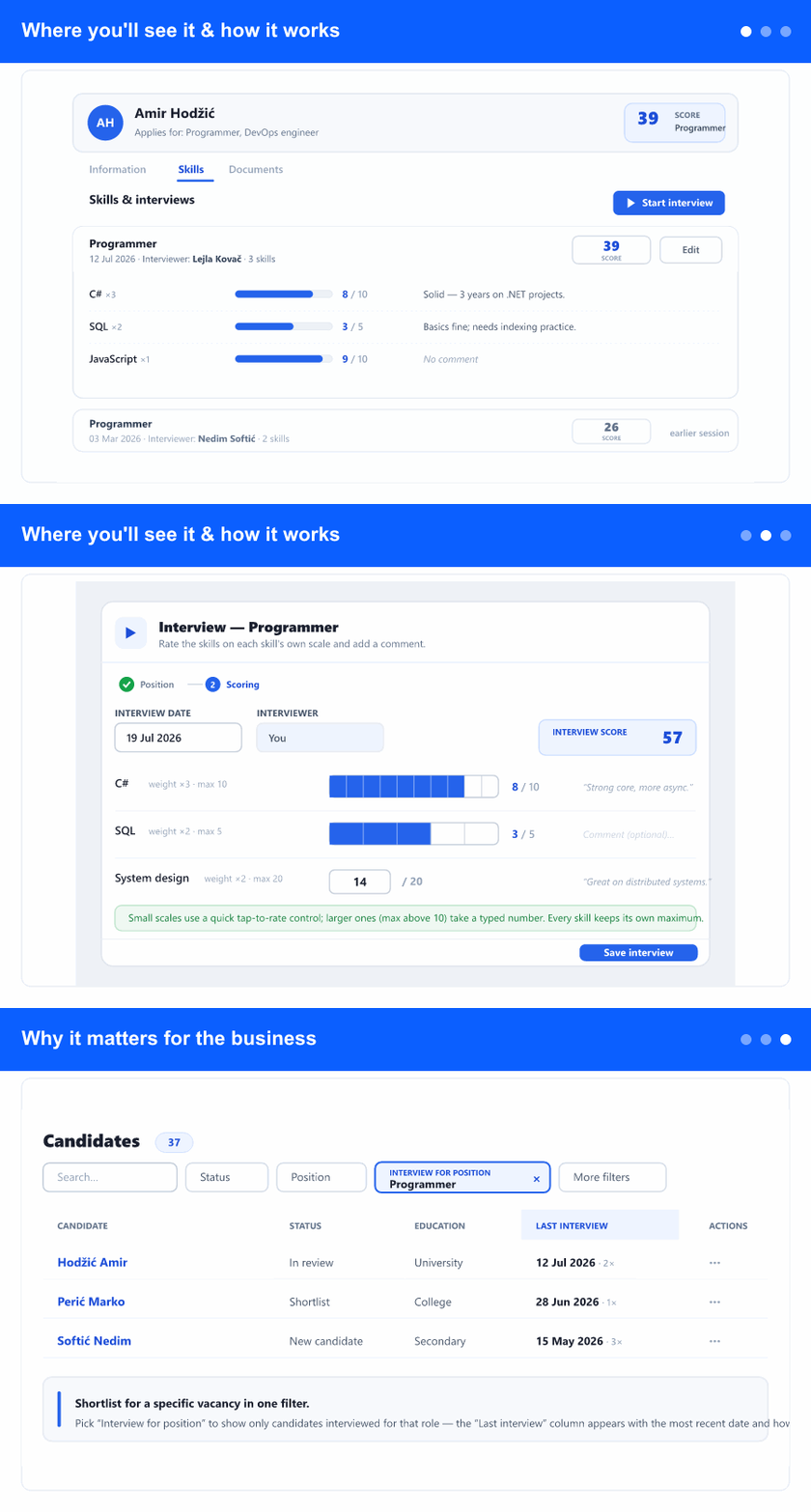
Open a candidate's profile in the ATS area and go to the Skills tab. Interviews are grouped as sessions, newest first—each one shows the position, the date, the interviewer, and its own score. The score at the top of the profile is the consolidated result for the position you pick: it takes the latest rating for each skill and weights it, so the same skill is never counted twice. Ratings entered before interviews were introduced stay together under Earlier ratings and are still editable.
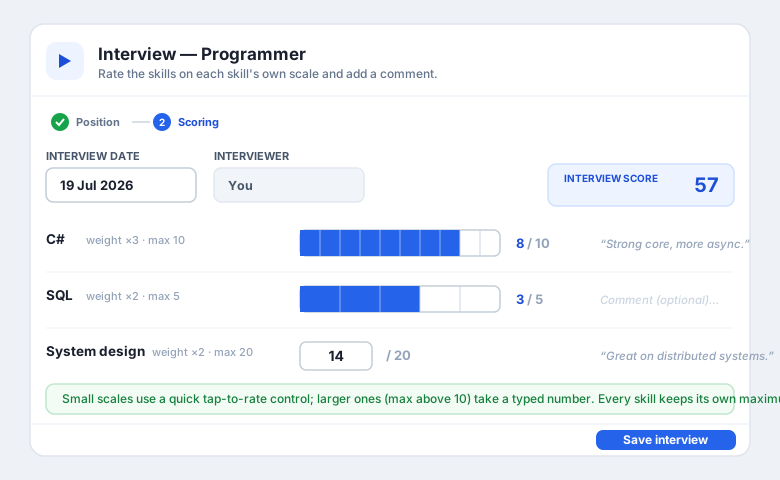
Click Start interview, search for and pick the position (the positions the candidate applied for are grouped at the top), then rate the skills defined for that position. Every skill is graded on its own scale—shown everywhere as “value out of maximum” with a fill bar—so there's no guessing whether a 3 means three out of five or three out of ten. You can add a comment per skill, set the interview date (today by default, or a past date if you're entering it later), and the interview score updates as you go. Come back through Edit to update the same interview.
Why it matters for the business
Interviews used to overwrite one another—each new set of ratings replaced the last, and you lost the story of how a candidate did across several conversations. Now every interview is kept, dated, attributed to an interviewer, and scored on its own, so you can compare sessions and follow progress over time.
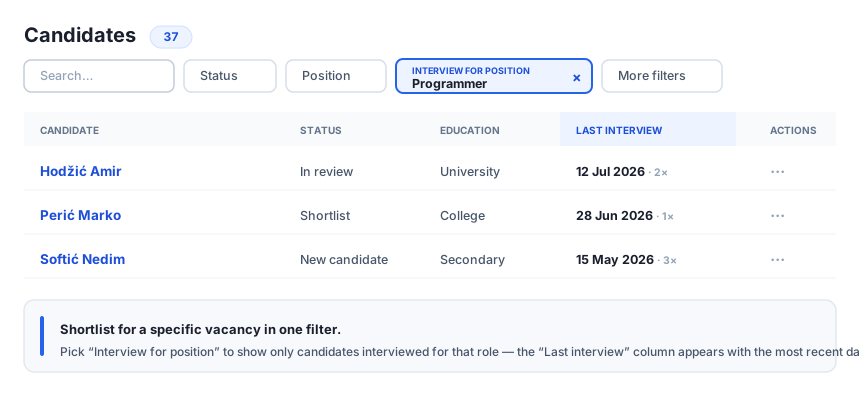
On the candidate list you also get a new Interview for position filter that shows only candidates interviewed for that role, together with a Last interview column and the number of interviews each candidate has had. Shortlisting for a specific vacancy becomes a matter of one filter, and every hiring decision is backed by a clear, comparable record.