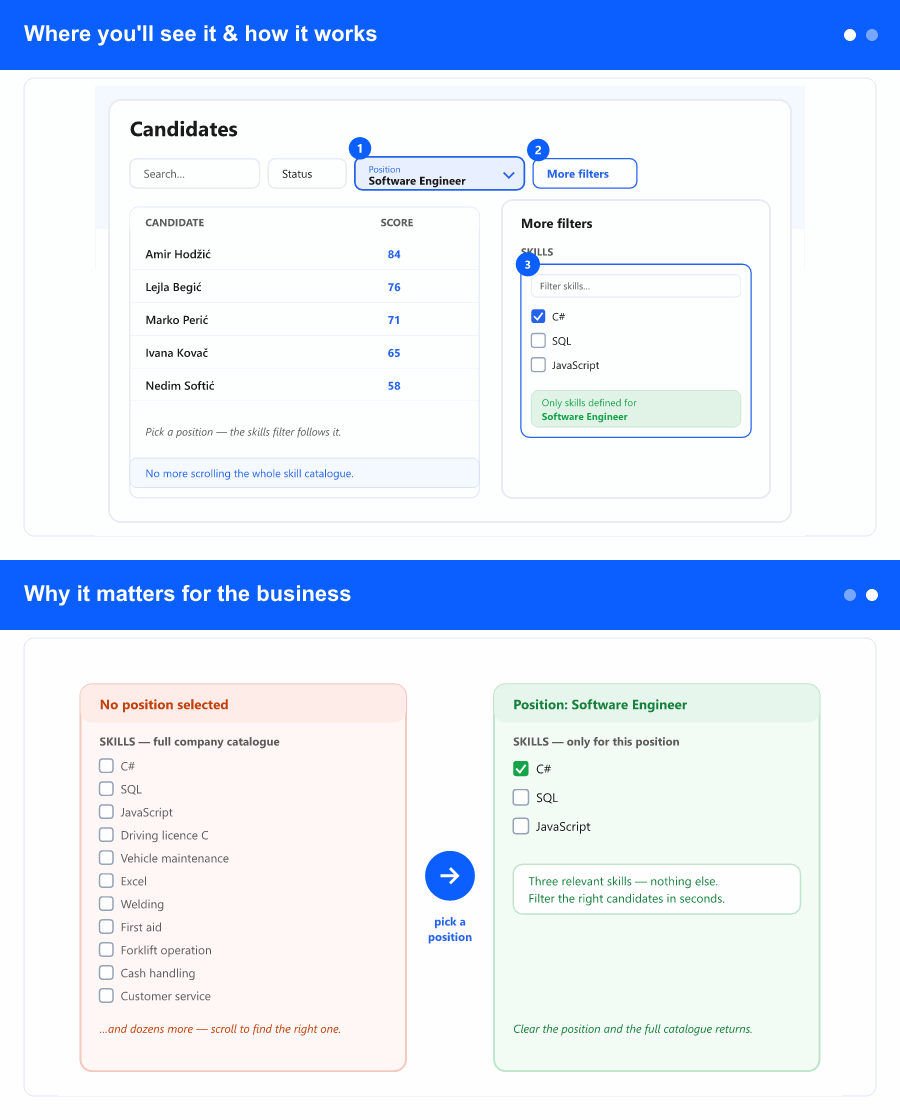
Where you'll see it & how it works
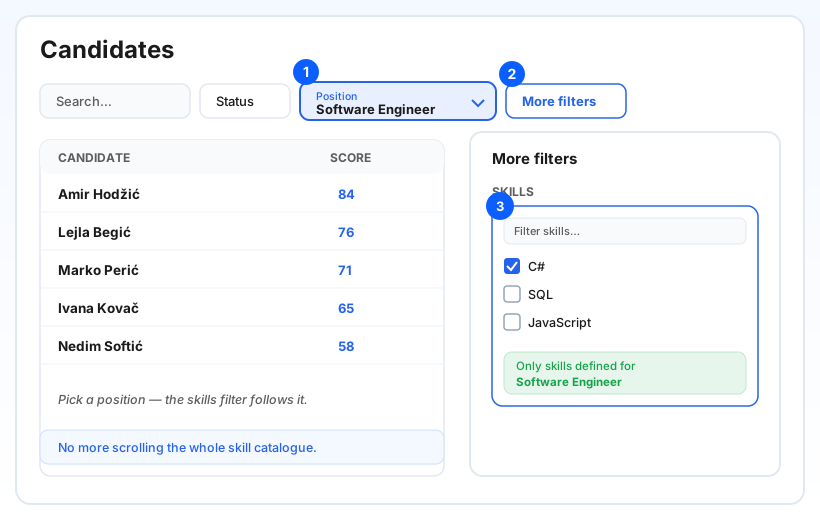
On the Candidates screen (in the ATS area), choose a role in the Position filter. Then open More filters and the Skills dropdown already lists only the skills defined for that position. Choose the ones you need and the candidate list narrows as usual. Clear the position and the Skills dropdown returns to the full company catalogue—exactly as before.
If a position has no skills set up yet, the Skills dropdown is empty and a short note explains that no skills are defined for it—so you're never left guessing. When you switch positions, any previously chosen skills that don't belong to the new position are dropped automatically, and the list refreshes to match.
Why it matters for the business
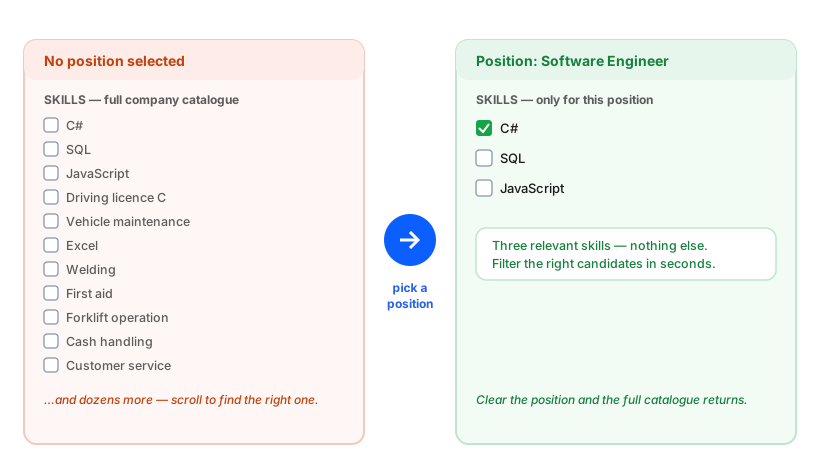
When you're hiring for a specific role, most of the company's skills are simply noise. Until now the Skills filter listed everything, so finding the two or three that actually matter meant scrolling and second-guessing. Tying the skills to the chosen position turns that into a short, obvious list.
The result is faster shortlisting, fewer wrong picks, and a filter that mirrors how you already think about a vacancy—by the role and the skills it needs. It stays instant, too: choosing a position doesn't slow the screen down.